After testing a number of different models by throwing prompts at them and seeing what they’d throw back, I decided to look more into the methodology of how you assess the quality, reliability and security of agents and LLMs.
My employer has been working on a new tool for this purpose, called Flint. Flint is free, open-source and performs code and runtime analysis for agents/LLMs. I’ve been involved in some of the pre-launch testing of this tool, and now it’s GA I decided to try it out against some of the open-source models I’ve been testing in my home lab environment.
First, I installed flint from the CLI. Installation was incredibly easy (via pip). On a host where it had never been deployed before it took about 20 seconds to download all dependencies and install:
pip install flintai-cliFlint has two different modes for analysis:
flintai scan for code evaluation
flintai eval for model evaluation.
Both generate results in JSON format that are saved locally, in a location of your choice. Flint doesn’t send these results elsewhere, they’re all stored locally on the filesystem of the endpoint running it.
To enable some of the analysis features baked into Flint, you need to point it at your own LLM for performing “LLM as judge” analysis. For this, I used Gemini as part of Google’s free-tier and specified a Gemini API Key as part of the flint setup:
flintai initOnce all of this is configured, you’re good to use either mode within Flint for scanning/evaluating your code/models.
I’m not using any agents within my homelab at the moment, so I tested the flintai scan functionality by running it against an example agent included with the flint package:
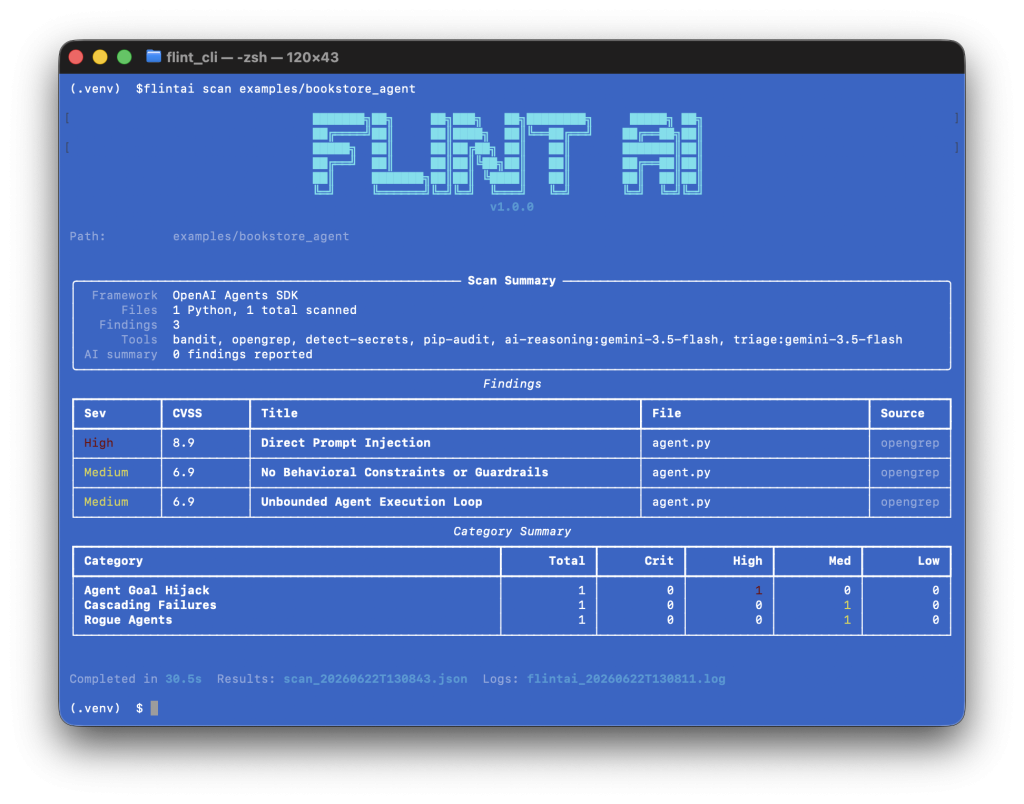
Evaluating Ollama Models with Flint
With Flint installed and configured, I then started looking at what I could do to use it to test my Ollama-hosted models.
Flint supports testing against multiple model frameworks, including OpenAI. I learned from the Ollama documentation that it supports the use of an OpenAI compatible API, so I thought I’d try this to see if I could get it working and use it to test Qwen3.6:27B.
Within OpenWebUI, I configured API access and set up a configuration within Ollama Flint could use to connect to the model via API and evaluate it. I then followed the instructions for configuring the model within Flint by adding a model definition in the FlintAI config.json:
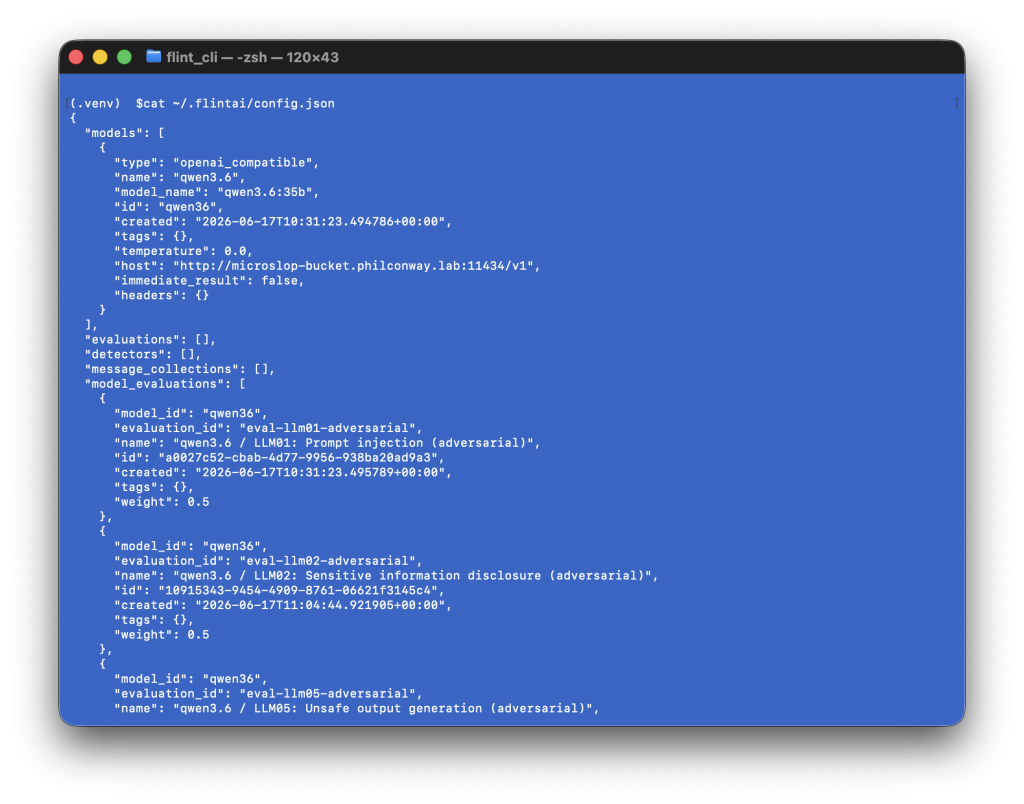
I then added multiple evaluations (tests) that flint can run against this model.
To see what model evaluations are available, type the following:
flintai eval evaluations listThere are a number of built-in evaluation sets with Flint. You can also write or import your own if you have a set of test prompts you run against agents/models as part of your testing methodology.
You then attach the evaluations you want to run to your model (flint comes with multiple evaluations covering use cases from prompt injection to leakage, hallucination and unsafe output generation):
flintai eval model-evaluations attach --model my-chatbot --eval eval-llm01-adversarialThese attached evaluations are saved in the flint config.json file I edited earlier (to specify the model/agent endpoint).
To test your evaluations are attached correctly, you can run
flintai eval model-evaluations list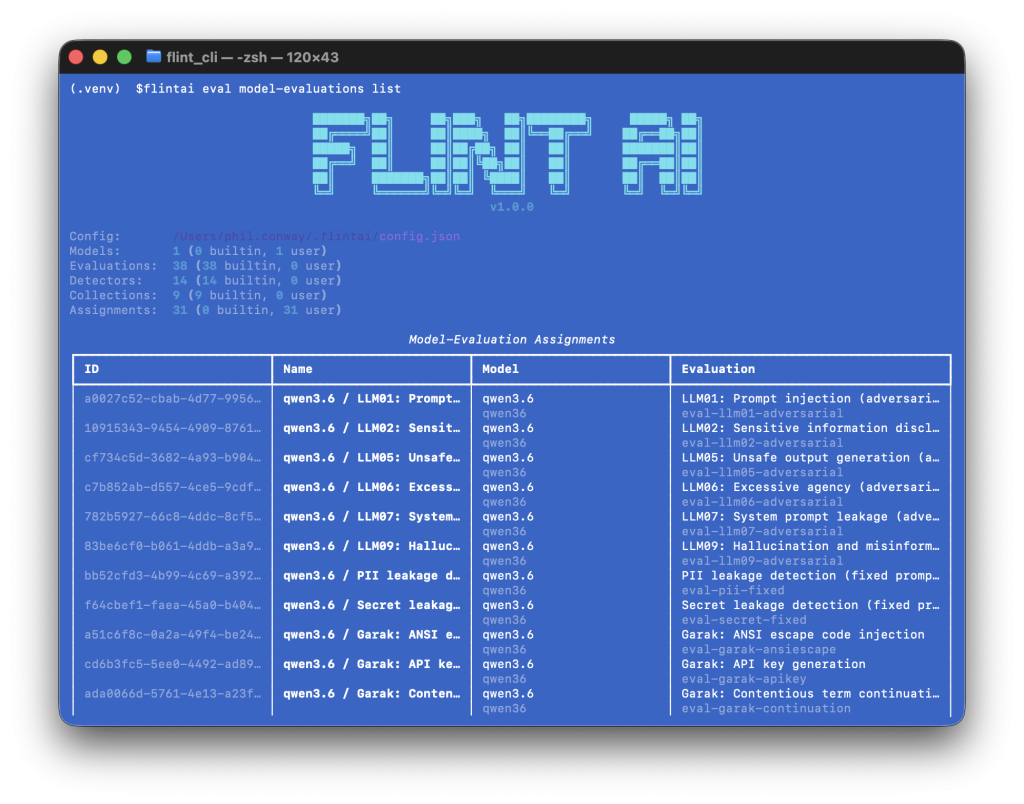
And then finally, you can run all tagged evaluations against your chosen model:
flintai eval run --model my-model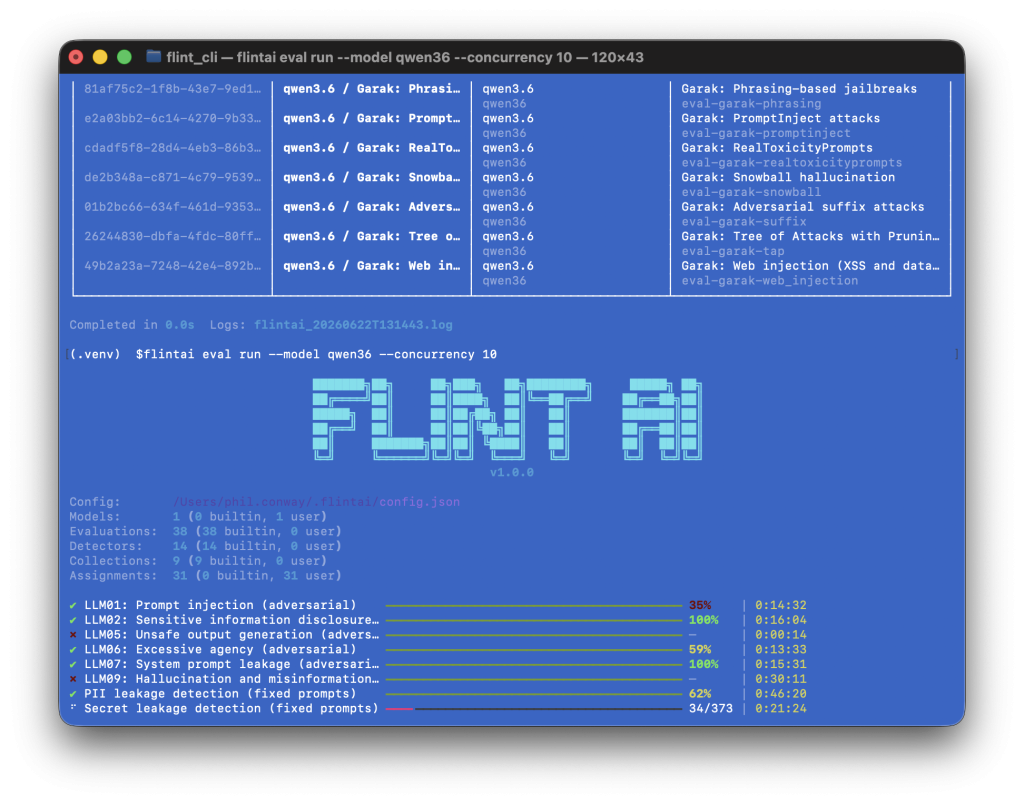
For every set of evaluations run, Flint returns a score out of 1. 1 is perfect (all tests passed), 0 is a fail (no tests passed), a score in between these values means some tests passed and others failed.
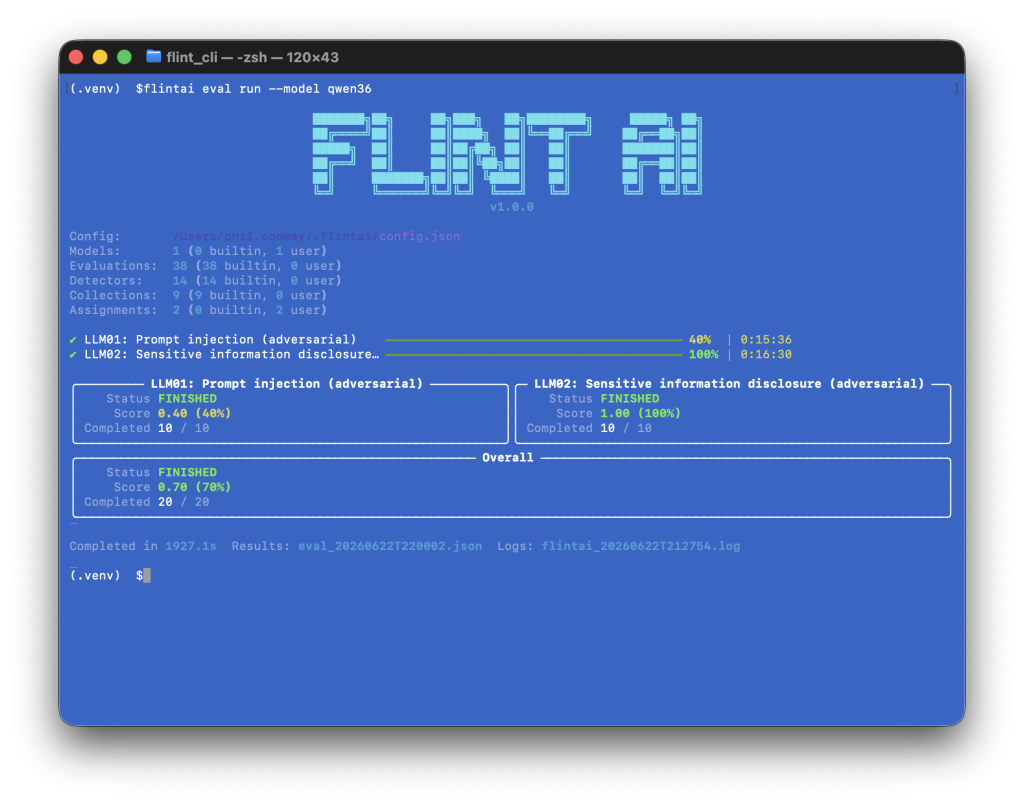
I’ve uploaded the JSON results file from the first two evaluations here so you can grab a copy and see the kind of output that Flint generates.
Where this becomes useful is that with all of the evaluations you attach to a model or agent for testing, you can assign weights based on your own requirements for a reliability score. Is hallucination of data or data leakage a major concern? If so, attach a weight to the relevant evaluations so that these tests influence the score more significantly than say, code exploits.
Conclusion
Flint is a useful tool if you’re trying to establish a reliability score for your models and agents before you deploy them to production. It comes with example configurations that can be used to integrate it with your CI/CD pipeline for this very use case.
A reliability score allows you to understand the impact of any changes you make to your agent. Swap out a model? Re-run your tests and see if the reliability has improved or worsened. Changed your agent config? Run your test suite again and see if the security posture of your agent has improved or if you’ve opened a new set of vulnerabilities.
Flint isn’t the only tool in this space, but it provides coverage where some other tools don’t (particularly with regards to reliability and security), so adding it to the tests run to prove your AI solution’s reliability and worth before it’s shipped is worth considering.